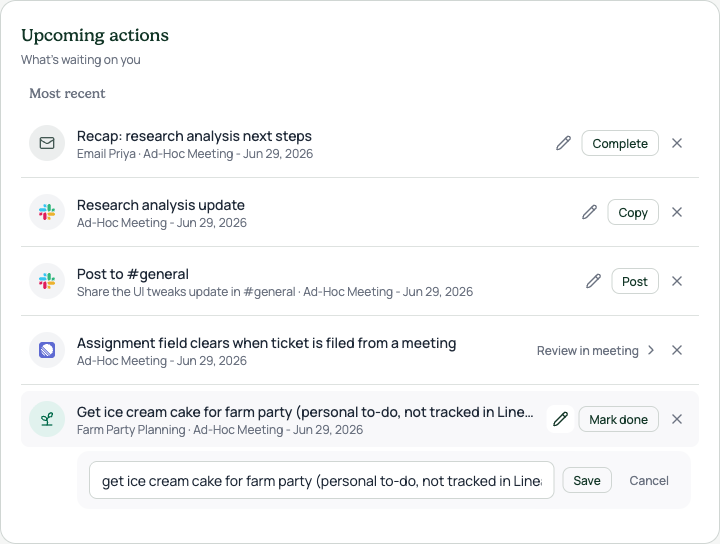
Upcoming actions · dashboard declutter

Captured from the running app with seeded demo data

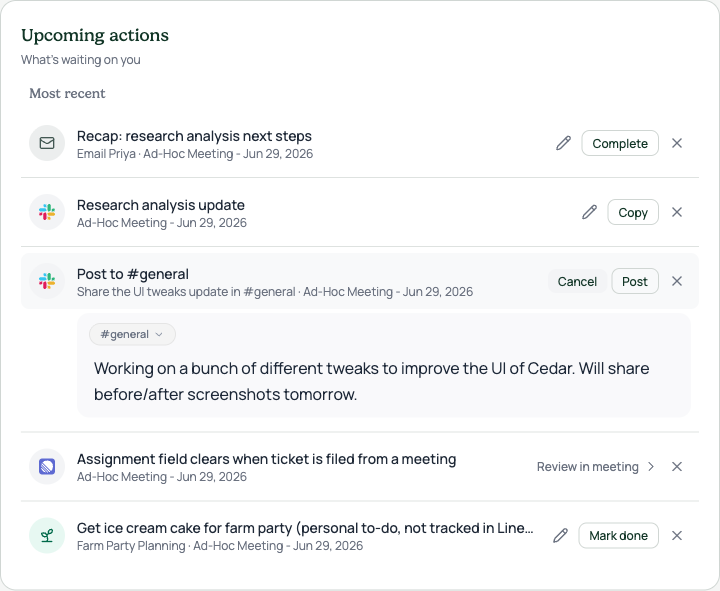
The Upcoming actions feed on the workspace dashboard was clutter-heavy: every expanded draft rendered a second bordered card inside the section card, repeating the Slack logo, the channel name, and a DRAFT badge the row above already carried. Linear rows printed the same sentence twice, and the Refine control floated as a bare word under the message.

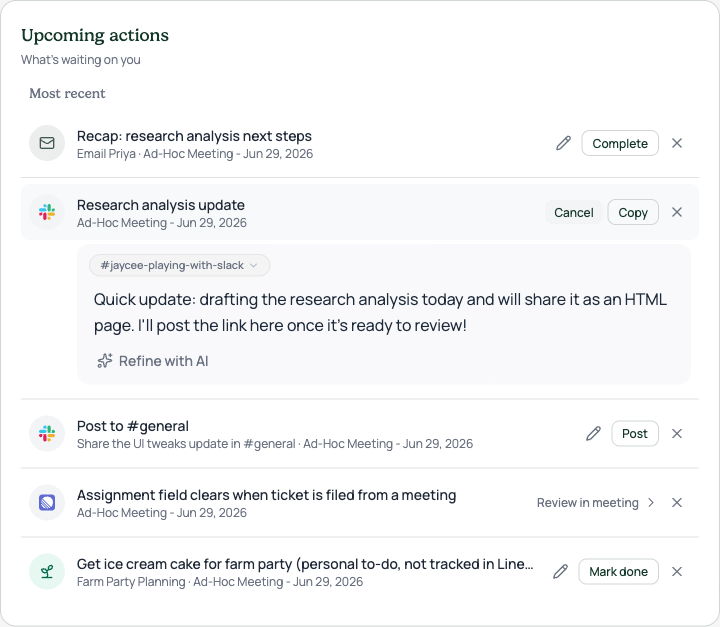
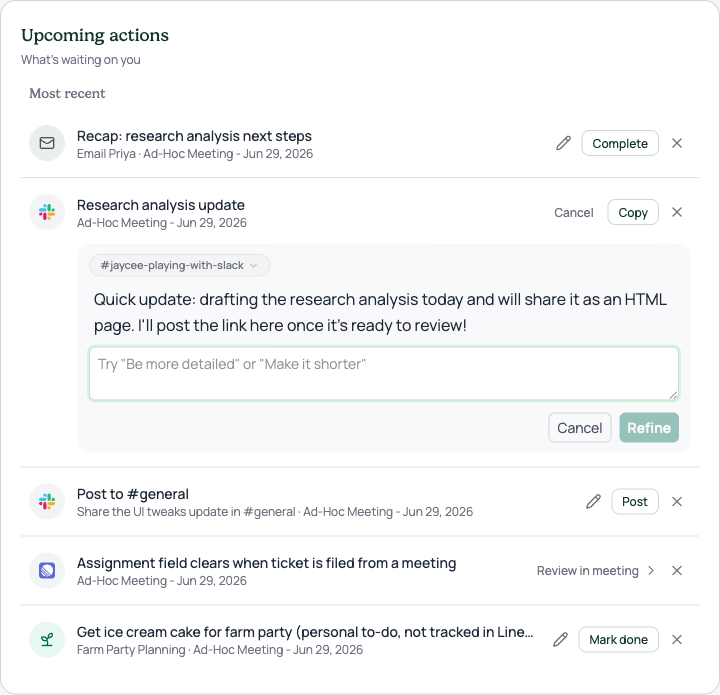
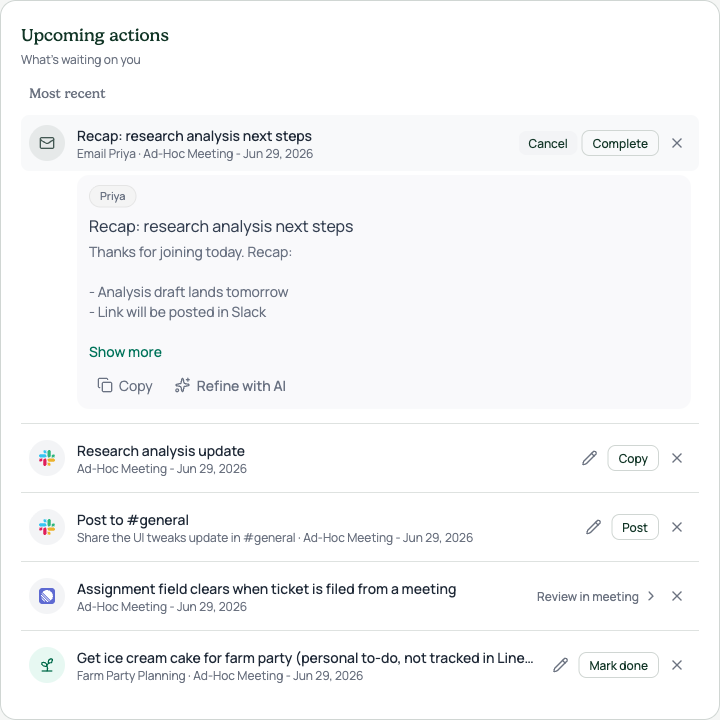
This pass keeps each fact on screen exactly once. Expanded drafts now open as a soft inset panel under the row: one logo, one channel pill, no inner border. Subtitles skip anything the title already says. A Cancel button appears while a row is expanded, so closing the editor is obvious. Refine is now "Refine with AI" with a sparkles icon and a full-width feedback box that suggests examples like "Be more detailed".

Captured from the running app with seeded demo data, no real customer content. The Complete, Copy, and Post buttons will move to the shared chonky secondary Button style once PR 1457 merges.

States
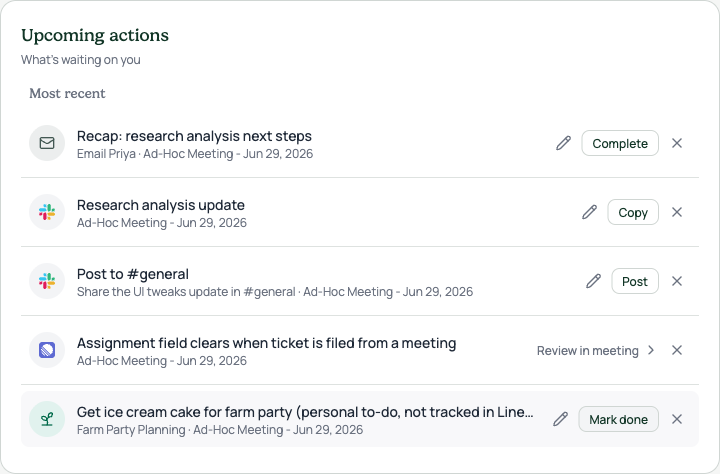
Collapsed feed · count badge gone, subtitles say each thing once: Linear and Slack drafts no longer repeat their titles
Slack proposal expanded · soft inset panel, single logo, channel pill, Cancel replaces the pencil while open
Slack follow-up draft · same panel treatment, footer gains Refine with AI
Refine open · full-width feedback box with example placeholder, its own Cancel and Refine actions
Email follow-up · recipient pill, editable subject and body, Copy and Refine with AI in the footer
Personal to-do · inline editor sits flat under the row with Save and a quiet Cancel